Encryption vs. Compression
Compression shrinks data, encryption obfuscates it. Should you compress or encrypt first? If you get this wrong and you will waste CPU, storage, and bandwidth. Pick wisely.
Always compress first, then encrypt.In backups, data pipelines, secure transport, or any place where performance matters, picking the wrong order will waste a lot of resources needlessly. I often ask this exact question during interviews. The question reveals more than just memorization of trivia; it shows whether they truly understand how compression and encryption work.
Why the order matters
The reason “encrypt then compress” is a terrible idea is due to the opposing goals of the two operations.
Compression tools are pattern-finders. A tool like gzip hunts for repeated sequences in your file, like a recurring log message or timestamp, and replaces those long strings with tiny references. It works best with order and predictability.
Encryption tools are pattern-destroyers. The goal of a strong encryption algorithm (like AES) is to scramble your orderly data into high-entropy, random-looking noise. A perfectly encrypted file should have no predictable patterns.
So, if you encrypt first, you’re feeding random noise to a compression tool that thrives on patterns. It finds none, gives up, and the file barely shrinks (or might even get slightly larger).
But if you compress first, the algorithm gets to work on the raw, patterned data. It shrinks it way down. Then you encrypt the much smaller result.
Let’s try it out
Instead of just talking about it, let’s run a small experiment to demonstrate what happens when you get the order wrong. We’ll run both pipelines side by side so you can see how the output sizes change. We can prove this in about thirty seconds with standard command-line tools you likely already have installed. We’ll use gzip for compression and gpg for encryption.
First, we need some data to play with. Log files are perfect candidates since they’re so repetitive. Instead of using a real system log, we’ll generate our own super-compressible file.
# Create a dummy log file that's roughly 6MB.
yes "this is a line in our log file" | head -n 200000 > log.txt
# (`yes` just prints the same line endlessly — we use `head` to cap it.)

# Check its size
ls -lh log.txt
# Output: -rw-r--r--@ 1 kevin  staff   5.9M Dec 12 17:13 log.txt
With log.txt ready, it’s time to experiment.
The Wrong Way: Encrypt → Compress
Here, we’ll encrypt the file and then try to compress the result. But there’s a catch: modern gpg is smart and compresses data by default. We have to tell it not to with the --compress-algo none flag to truly see the wrong way in action.
What you run
# 1. Encrypt the log file (with GPG's internal compression DISABLED)
gpg \
  --batch --yes \
  --pinentry-mode loopback \
  --passphrase "test" \
  --compress-algo none \
  --symmetric \
  --output encrypted_first.gpg \
  log.txt

# 2. Now, try to compress the encrypted file
gzip -c encrypted_first.gpg > encrypted_then_compressed.gz
What you see
ls -lh log.txt encrypted_first.gpg encrypted_then_compressed.gz
# Output:
# -rw-r--r--@ 1 kevin  staff   5.9M Dec 12 17:13 log.txt
# -rw-r--r--@ 1 kevin  staff   5.9M Dec 12 18:14 encrypted_first.gpg
# -rw-r--r--@ 1 kevin  staff   5.9M Dec 12 18:14 encrypted_then_compressed.gz

ls -l log.txt encrypted_first.gpg encrypted_then_compressed.gz
# Output:
# -rw-r--r--@ 1 kevin  staff  6200000 Dec 12 17:13 log.txt
# -rw-r--r--@ 1 kevin  staff  6200084 Dec 12 18:14 encrypted_first.gpg
# -rw-r--r--@ 1 kevin  staff  6202017 Dec 12 18:14 encrypted_then_compressed.gz
The file size didn’t reduce with this setup; it actually increased by 2 kilobytes.
Encryption produces high-entropy data, so compression has nothing to work with.
Why it matters
The encrypted_first.gpg file is the same size as the original, and encrypted_then_compressed.gz is… also the same size. The compression tool looked at the encrypted gibberish, found no patterns, and gave up. A complete waste of effort
The Right Way: Compress → Encrypt
Now, let’s do it correctly. We’ll compress the file first, then encrypt the much smaller result.
What you run
# 1. Compress the raw log file
gzip -c log.txt > compressed_first.gz

# 2. Encrypt the compressed file
gpg \
  --batch --yes \
  --pinentry-mode loopback \
  --passphrase "test" \
  --symmetric \
  --output compressed_then_encrypted.gpg \
  compressed_first.gz
What you see
ls -lh log.txt compressed_first.gz compressed_then_encrypted.gpg
# Output:
# -rw-r--r--@ 1 kevin  staff   5.9M Dec 12 17:13 log.txt
# -rw-r--r--@ 1 kevin  staff    15K Dec 12 18:15 compressed_first.gz
# -rw-r--r--@ 1 kevin  staff    15K Dec 12 18:15 compressed_then_encrypted.gpg
Why it matters
Now that’s what we expected to see. The compressed_then_encrypted.gpg file is tiny (15 KB!). We have the same data, but it’s small and secret.
Compress raw data first to capture patterns, and encryption preserves the smaller size.
Final Results
Let’s put the two final files side-by-side for a dramatic comparison.
ls -lh encrypted_then_compressed.gz compressed_then_encrypted.gpg
# Output:
# -rw-r--r--@ 1 kevin  staff    15K Dec 12 18:15 compressed_then_encrypted.gpg
# -rw-r--r--@ 1 kevin  staff   5.9M Dec 12 18:14 encrypted_then_compressed.gz
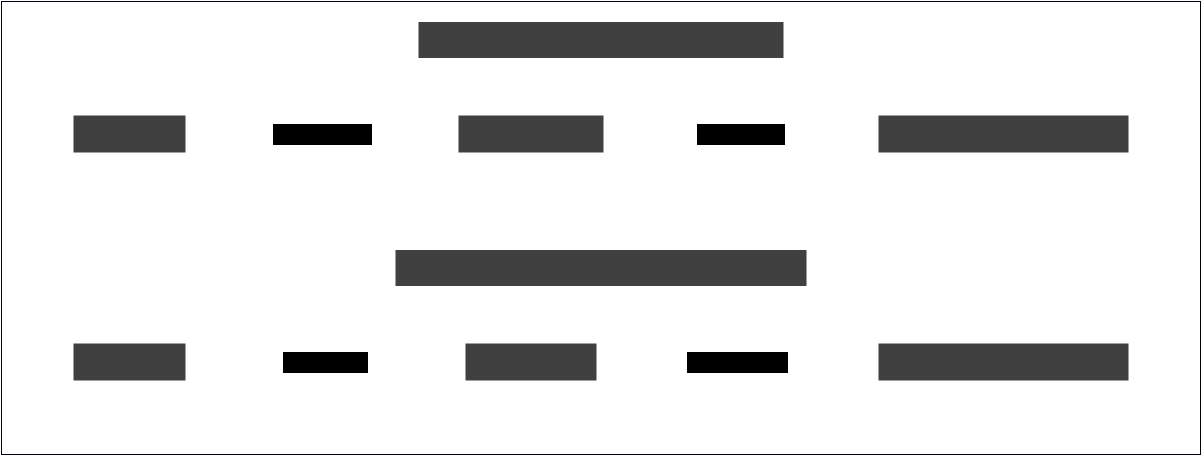
Getting the order right saved us over 99% of the disk space.
A quick note on the results: The dummy log.txt file we generated is extremely repetitive, which makes for a dramatic demonstration. Real-world data won’t always compress this well, but the principle holds: you’ll always get better results by compressing the patterned data before you encrypt it.
Security Implications
Hopefully, you’re convinced that “Compress then Encrypt” is the rule to use in all cases, right? Almost. There’s one major exception where this exact sequence can create a subtle but powerful security hole.
When an attacker can influence data that gets compressed and then encrypted, they can create a “compression oracle” to slowly guess secret information. Compression leaks information because matching patterns in the data cause it to shrink more, so the final size becomes a side-channel that reveals details about the original content. This forms the basis of two infamous attacks: CRIME and BREACH.
CRIME: The Attack That Killed TLS Compression
The CRIME attack went after compression that was happening directly at the TLS layer, the ‘S’ in HTTPS.
The Attack: CRIME allowed an attacker to steal secret authentication cookies. They’d trick a victim’s browser into sending requests containing their cookie, and they would inject their own guesses for the cookie’s value into the request. By watching the size of the final encrypted response from the server, they could see when their guess matched a character in the real cookie, because the compressed size would shrink just a tiny bit. They could repeat this to uncover the secret, one character at a time.
The Impact: The consequences were immediate and severe. Everyone realized that letting the TLS protocol itself handle compression was a footgun waiting to go off. It was quickly disabled in all major browsers and is now forbidden in the TLS 1.3 specification. It’s gone for good.
BREACH: The Attack That Won’t Go Away
BREACH is CRIME’s younger, more persistent sibling. It targets compression at the HTTP level (the gzip or brotli your web server uses), not the TLS layer.
The Attack: The idea is the same. An attacker tricks a browser into sending repeated requests, but this time they are trying to guess a secret embedded in the HTML of the response body, like a hidden CSRF token. If the response contains both the secret and some input from the attacker (like a reflected search term), they can once again watch the compressed size to build a compression oracle.
BREACH only works when the response includes both attacker-controlled input and a secret in the same compressed payload. If your application never mixes these, the attack isn’t possible.
The Impact: We can’t just turn off HTTP compression, as the performance hit to the web would be catastrophic. So, stopping BREACH falls on application developers, with a few key strategies:
Using
SameSite=Stricton your session cookies is a strong defense as it prevents the browser from sending them on any cross-site requests, blocking the main attack vector. While many applications must useSameSite=Laxfor practical navigation, it also significantly reduces the risk by withholding cookies on cross-origin subrequests, preventing the most common BREACH scenarios.The best defense is to never mix secrets and user-controllable data in the same compressed response.
Obscure the true length by adding a random number of bytes to the response, making the compression ratio useless to an attacker.
Use rate-limiting to slow down attackers so the thousands of requests needed for the attack become impractical.
At this point, you might be thinking: “Wait, HTTP/2 and HTTP/3 use header compression (HPACK and QPACK). If my secrets are in headers, doesn’t that bring back the BREACH risk?” That is a concern here. Headers like
Authorization,Cookie,Set-Cookie, orX-Auth-Tokenoften contain high-value secrets and are prime targets for a compression oracle. To handle this, HTTP/2 and HTTP/3 protocols include a specific “sensitive” flag. When a header is marked this way, the compressor is told to treat the value as a literal rather than adding it to the dynamic compression table. This prevents the value from being used as a reference point for future matches and prevents the side-channel without forcing us to disable compression for the entire connection.
Final thoughts
What started as an interesting little interview question lead us to discussing real security concerns with mixing compression and encryption.
In most cases, the rule is unequivocal: compress first, then encrypt. Whether you are archiving logs or moving backups, compressing patterned data before it becomes random noise saves significant time and money.
The only real exception is when you are handling interactive traffic. If an attacker can control part of a message that contains a secret, the compressed size actually leaks information. For static archives, this isn’t an issue. But for live web protocols, you either have to use modern safeguards like sensitive header flags or disable compression entirely for those specific payloads.
Further Reading
The Specifications
- RFC 1952 (GZIP): Specification for GZIP compression, used in examples above. https://datatracker.ietf.org/doc/html/rfc1952
- RFC 8446 (TLS 1.3): Note section 1.2, which explicitly removes support for compression to mitigate the attacks mentioned above. https://datatracker.ietf.org/doc/html/rfc8446
- RFC 4880 (OpenPGP): The technical specification for the OpenPGP Message Format, used by GPG. https://datatracker.ietf.org/doc/html/rfc4880
The Security Vulnerabilities
- The CRIME Attack: A demo of how compression can leak secrets at the SSL/TLS layer. https://en.wikipedia.org/wiki/CRIME
- The BREACH Attack: A similar side-channel attack targeting HTTP-level compression. http://breachattack.com/
The Theory
- Shannon Entropy: The mathematical concept explaining why encrypted data (high entropy) cannot be compressed. https://en.wikipedia.org/wiki/Entropy_(information_theory)
- Why can’t I compress an encrypted file? This Math StackExchange question/answer asks and answers why encrypted data is difficult to compress. https://math.stackexchange.com/questions/4858088/why-cant-i-compress-an-encrypted-file
About the Author